


Last updated: August 2026. Prices, versions and platform support change frequently – always confirm on the developer’s official website before you download or buy.
A DICOM viewer is the software you use to open, scroll, window and measure the medical images that come off a CT, MRI, ultrasound or X-ray machine. There are dozens of options today – free and open source, cross-platform, paid, web/cloud-based and mobile. This guide compares the best DICOM viewers in 2026, tells you what to look for, and helps you pick the right one for your operating system and budget.
- DICOM Viewer Comparison (2026)
- Quick Picks: The Best DICOM Viewers by Category
- What is DICOM?
- Features to look for in a DICOM viewer
- Free and open source DICOM viewers for Windows
- Paid DICOM viewers for Windows
- Free and open source DICOM viewers for macOS
- Paid DICOM viewers for macOS
- Free online, web-based and cloud DICOM viewers
- Cloud-based collaboration platform: special mention
- Free DICOM viewer apps for Android
- Free DICOM viewer apps for iPhone and iPad
- Paid DICOM viewer apps for iPhone and iPad
- Choosing the right DICOM viewer
- Frequently Asked Questions
- Official sources and downloads
DICOM Viewer Comparison (2026)
At a glance – the most widely used DICOM viewers, their platforms, cost and whether they support advanced reconstructions. “MPR” = multiplanar reconstruction; “3D VR” = 3D volume rendering.
| Viewer | Platform | Price (2026) | MPR | 3D VR | Web / cloud | Best for |
|---|---|---|---|---|---|---|
| Weasis | Windows, macOS, Linux | Free (open source) | Yes | Yes (v4.x) | Web-deployable | Cross-platform all-rounder |
| MicroDICOM | Windows | Free (non-commercial) | No | No | No | Simple, lightweight Windows viewing |
| RadiAnt | Windows | Paid (from ~€39/yr; free trial) | Yes | Yes | No | Fast Windows power users |
| Horos | macOS | Free (open source) | Yes | Yes | HorosCloud add-on | Mac users (check macOS Tahoe stability) |
| OsiriX MD | macOS | Paid (from $69.99/mo) | Yes | Yes | Built-in web server | FDA/CE-cleared clinical Mac use |
| OsiriX Lite | macOS | Free demo (not for clinical use) | Demo | Demo | Limited | Trying OsiriX before buying |
| 3D Slicer | Windows, macOS, Linux | Free (open source) | Yes | Yes | No | Research, segmentation, 3D printing |
| OHIF Viewer | Web | Free (open source) | Yes | Yes | Web | Zero-install browser viewing |
| PostDICOM | Web + mobile | Free tier (50 GB) + paid | Yes | Yes | Cloud | Cloud storage and sharing |
| Pacsbin | Web | Free tier + paid | No | No | Cloud | Teaching and case sharing |
| Collective Minds | Web / cloud | Free | Yes | Yes | Cloud | Collaboration, second opinions, teaching |
| IDV (IMAIOS) | Web, iOS, Android | Free (personal use) | Yes | No | Web | Mobile and quick web viewing |
Quick Picks: The Best DICOM Viewers by Category
Best Free and Open Source DICOM Viewers
- Windows: Weasis, MicroDICOM, 3D Slicer
- macOS: Horos, Weasis, 3D Slicer
- Linux: Weasis, 3D Slicer
Best Paid DICOM Viewers
- Windows: RadiAnt (from ~€39/year)
- macOS: OsiriX MD (from $69.99/month, FDA/CE-cleared)
Best Free Online / Cloud DICOM Viewers
- OHIF Viewer, PostDICOM, Pacsbin, Collective Minds
Best DICOM Viewer Apps for Mobile
- Android: DroidRender, mRay, IDV
- iPhone/iPad: IDV, mRay, Medfilm (free); Horos, OsiriX HD (paid)
What is DICOM?
DICOM stands for Digital Imaging and Communications in Medicine. Almost every imaging study that needs to be transferred from the place of acquisition to be stored, viewed later or read remotely is done in the DICOM format. While it is not the only format available, it is by far the most commonly used, and it carries not just the images but also the patient, study and acquisition metadata.
To view these DICOM files on any device, we use a DICOM viewer. There are several viewers available today – some free and open source, some cross-platform, some paid, and some online web or cloud based. Below, we run through the features you should look for when choosing a DICOM viewer, followed by our recommendations for each platform.
Features to look for in a DICOM viewer
A few key factors should drive your choice of DICOM application:
- Ease of use: The application should be intuitive so you can focus on reporting rather than fighting a complicated interface.
- Features: Make sure it has what you actually need – distance, angle and volume measurements, multiplanar reconstruction (MPR), and 3D volume rendering if you use it regularly.
- Compatibility: Confirm the viewer runs on your operating system and, increasingly, on Apple Silicon Macs.
- Price: Several excellent free options exist, so you do not have to spend a fortune. That said, some paid features (speed, support, advanced tools) may tip the balance.
- Support and updates: Prefer software that is actively maintained. Avoid a free viewer that has been abandoned, especially after a major OS upgrade.
- Regulatory clearance: For primary clinical reporting, look for FDA clearance or a CE mark. Most free viewers are labelled “not for diagnostic use.”
Basic features every viewer should have:
- Windowing (window width and level)
- Pan
- Zoom / magnification
- Scroll through series
- Measurement – lines, angles, ROI/HU
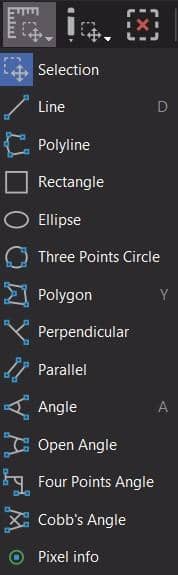
The toolbar from Horos shows the standard options:

Toolbar from Weasis:

Advanced features:
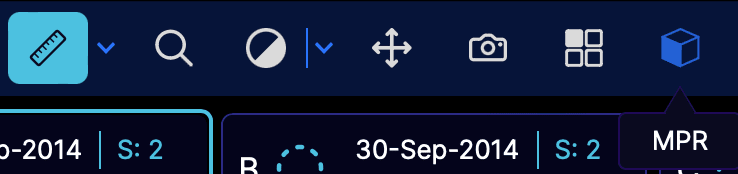
MPR (multiplanar reconstruction) seen here in the OHIF viewer:
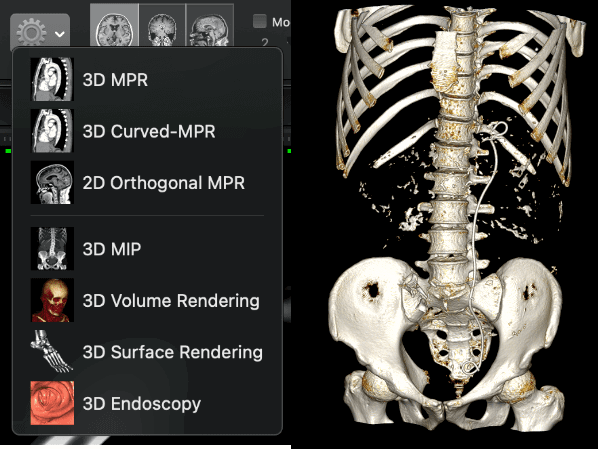
3D reformat / volume rendering seen here in Horos:
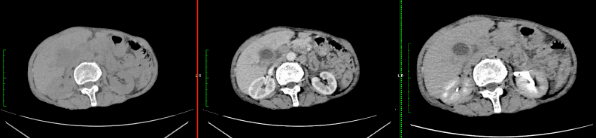
Comparison of studies: plain, portal venous and delayed phase studies seen in parallel on Horos:
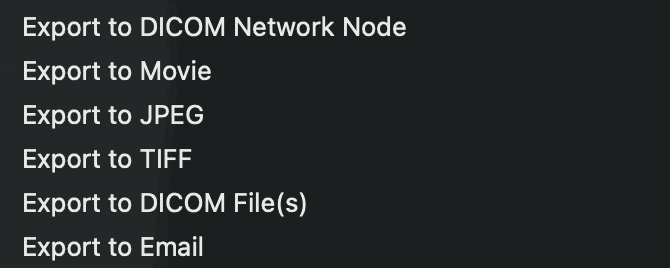
Export options as seen on Horos:
Free and open source DICOM viewers for Windows
Several options are available; these are our top picks:
Weasis: A cross-platform, open-source viewer that has grown into one of the most capable free options. It covers all the basics plus MPR, and – unlike a few years ago – recent releases (the v4.x series, current in 2026) add a proper 3D volume renderer, MIP, DICOM segmentation display and Apple Silicon support. It is actively maintained with frequent updates and can also be deployed as a web-launched viewer for a PACS.
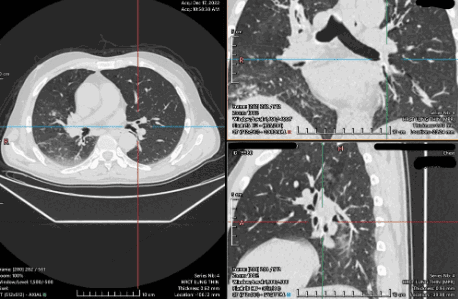
MicroDICOM: One of the most popular Windows viewers, with millions of downloads. It has all the everyday features with a friendly interface and is free for non-commercial use. It does not provide advanced tools like MPR or 3D volume rendering.
3D Slicer: A free, open-source platform that goes well beyond simple viewing. It offers MPR, volume rendering, image segmentation, registration and 3D-print-ready model export, which makes it a favourite for research, teaching and treatment planning. It has a steeper learning curve than a basic viewer, but nothing else free matches its analysis toolkit across Windows, macOS and Linux.
Paid DICOM viewers for Windows
RadiAnt: One of the most widely used Windows viewers. A free trial is available, and the full version is a subscription that includes all advanced features – MPR, 3D volume rendering, time-intensity curves, series fusion and side-by-side comparison of multiple studies, with multi-touch support on touchscreen devices.
If your hospital does not allow software installs, you can run a portable version of RadiAnt. See our guide for details:
RadiAnt DICOM Viewer Portable Installation Guide – RadioGyan
As of 2026 the subscription runs to roughly €5 per month or €39 for a one-year plan (with 2-, 3- and 5-year plans available at a lower effective rate, and an early-renewal bonus). Interestingly, authors who mention “RadiAnt DICOM Viewer” in a published journal article qualify for a heavily discounted plan, and including the website link in the article unlocks an even bigger discount. Always confirm current pricing on the RadiAnt store.
Free and open source DICOM viewers for macOS
Our favourites on the Mac:
- Horos: The most popular free macOS viewer, with a large user community, tutorials and training courses. It supports MPR and 3D volume rendering, and version 4.0.1 finally added native Apple Silicon and macOS 26 (Tahoe) support along with an optional HorosCloud plugin. Note that some users report freezing and stability problems on the latest macOS; if you hit issues, an older build is a fallback. Companion iPhone/iPad apps exist but are paid.
- Weasis: As above, a cross-platform open-source viewer that runs natively on macOS (including Apple Silicon), with MPR and, in the current v4.x series, 3D volume rendering. A dependable, actively maintained free option if you want the same viewer on Mac, Windows and Linux.
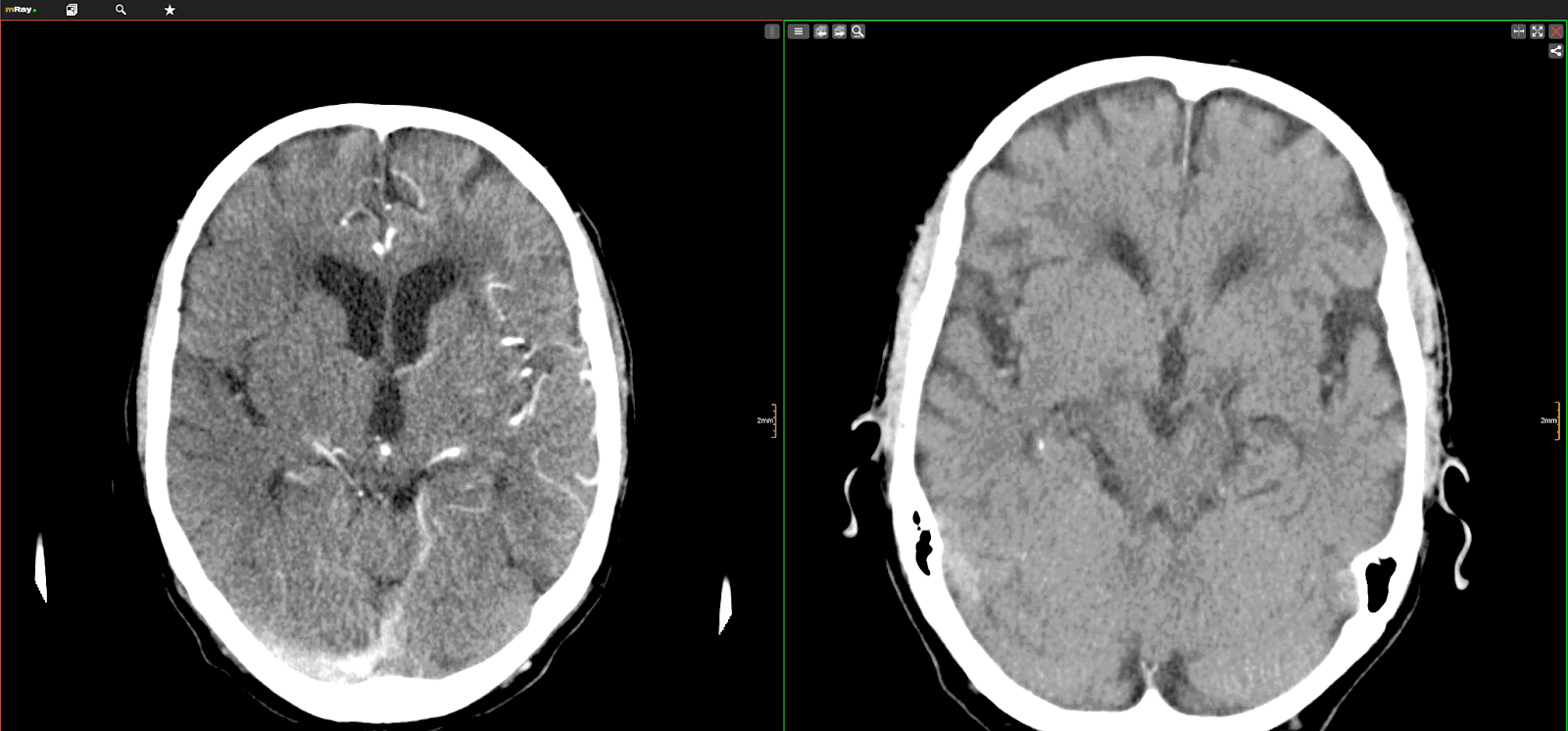
- mRay: A free viewer available across macOS, Android and iOS with advanced features like MPR and cloud support, useful if you want the same experience on desktop and mobile.
Paid DICOM viewers for macOS
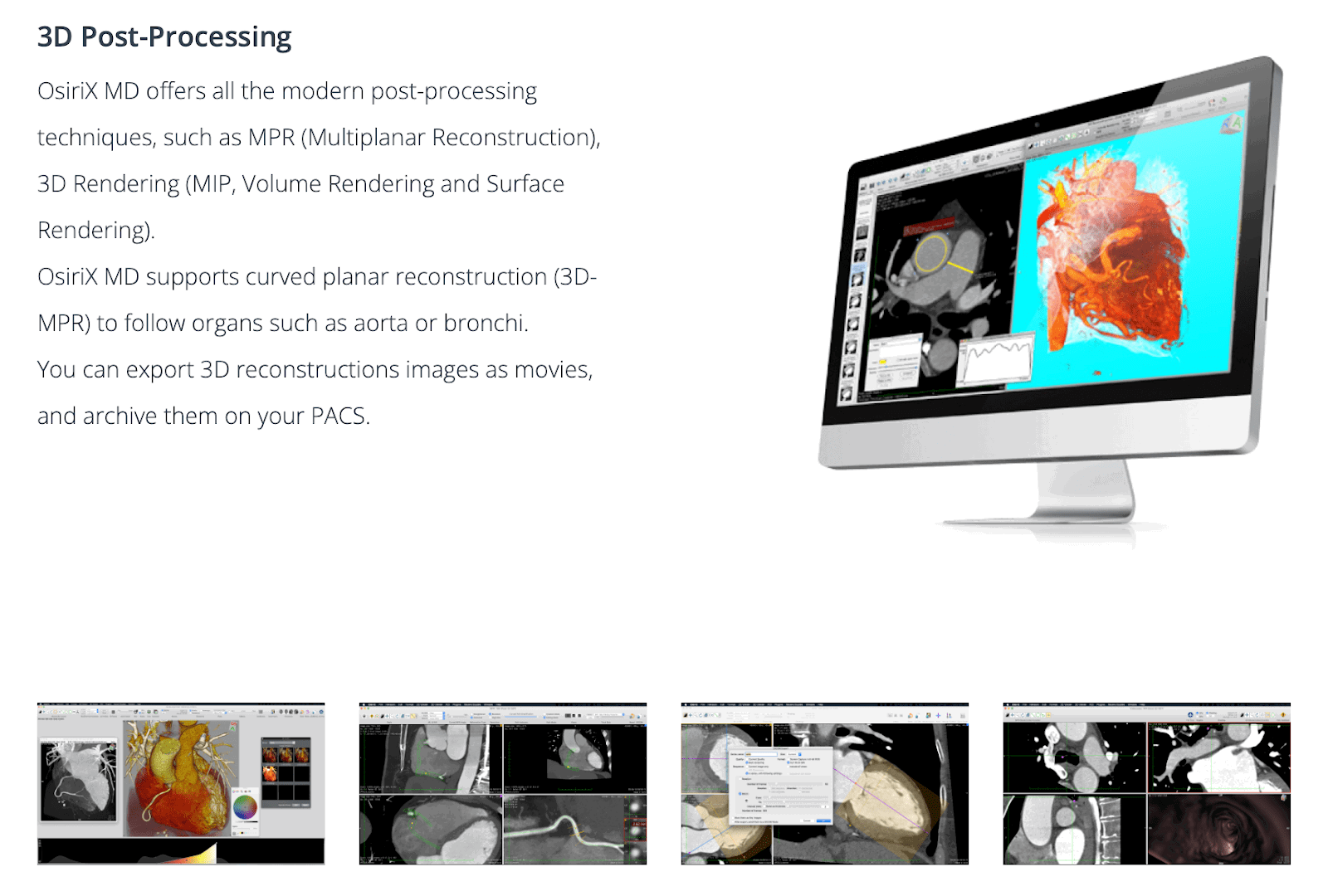
OsiriX MD: Often described as the most widely used dedicated DICOM viewer in the world, OsiriX MD is certified for clinical use with FDA clearance and a CE mark. It offers the full range of 2D and 3D image processing, including PET-CT and SPECT-CT support and its own 3D/4D navigation tools.
It is a premium, subscription product: OsiriX MD starts at about $69.99 per month (roughly $419 per year per user) as of 2026, and there is no perpetual free version for clinical use. If you only want to try it or review images at home, OsiriX Lite is a free demo edition – it is fully featured for exploration but stamps every image with a “not for medical usage” label and caps some advanced tools. Confirm current pricing on the OsiriX website.
Free online, web-based and cloud DICOM viewers
The main difference with these is that they do not require you to install any application. They run in your web browser, so they work on almost any device with an internet connection and do not need a “DICOM-ready” computer. The trade-off is the time needed to upload the DICOM files, which can be large (roughly 100 MB to over 1.5 GB depending on the study). Many now process files locally in the browser for privacy – check each tool’s security and compliance claims before uploading identifiable patient data.
Our top recommendations:
OHIF Viewer: An excellent open-source, web-based viewer with fast uploads and a powerful feature set including MPR, 3D, image capture, annotation and measurement. It is the reference open-source web viewer and underpins many institutional and vendor platforms.
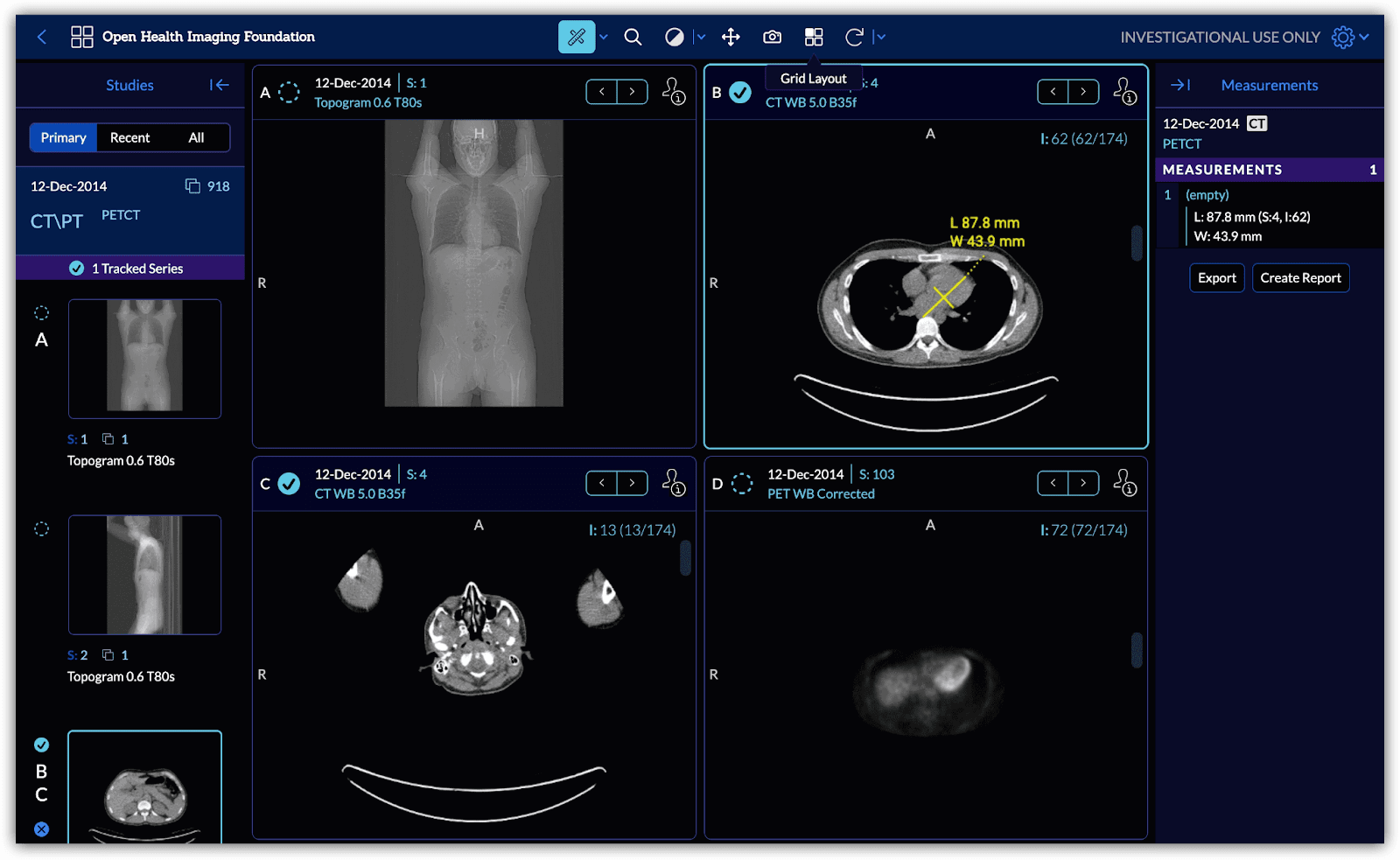
PostDICOM: Comes with a generous free tier (around 50 GB) for uploading and sharing DICOM files, plus a capable viewer that works on all operating systems including mobile devices, with advanced image-manipulation options.
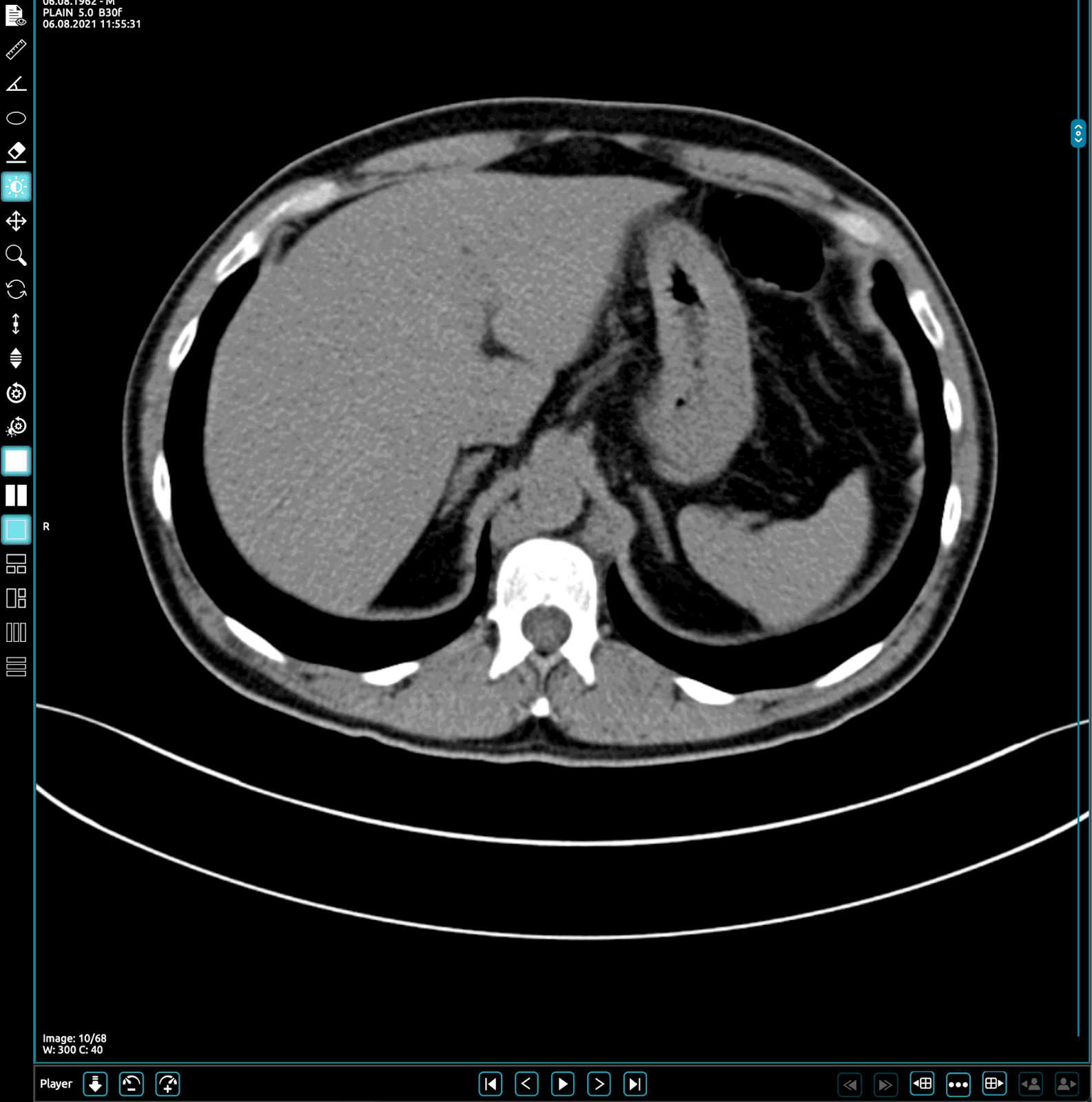
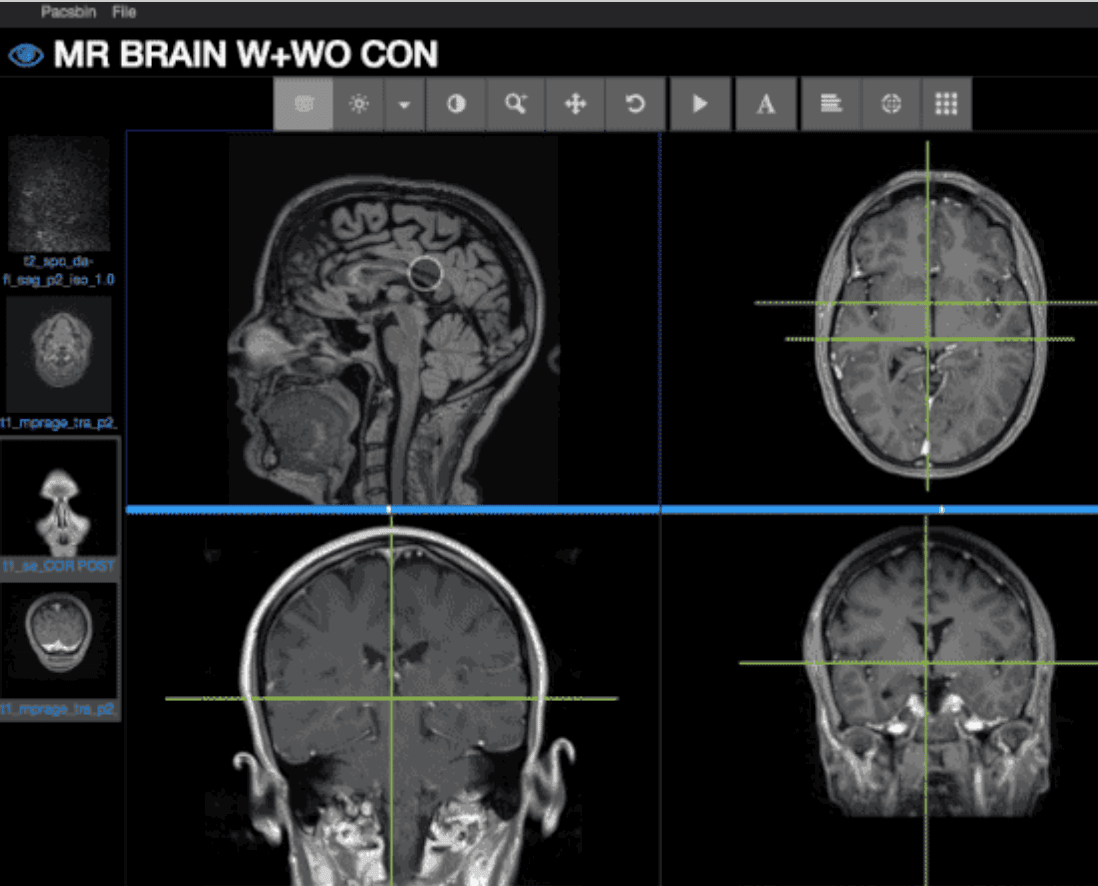
Pacsbin: A popular option that combines fast uploads with easy anonymisation, making it great for sharing cases or for education. It does not offer advanced tools like MPR or volume rendering.
Cloud-based collaboration platform: special mention
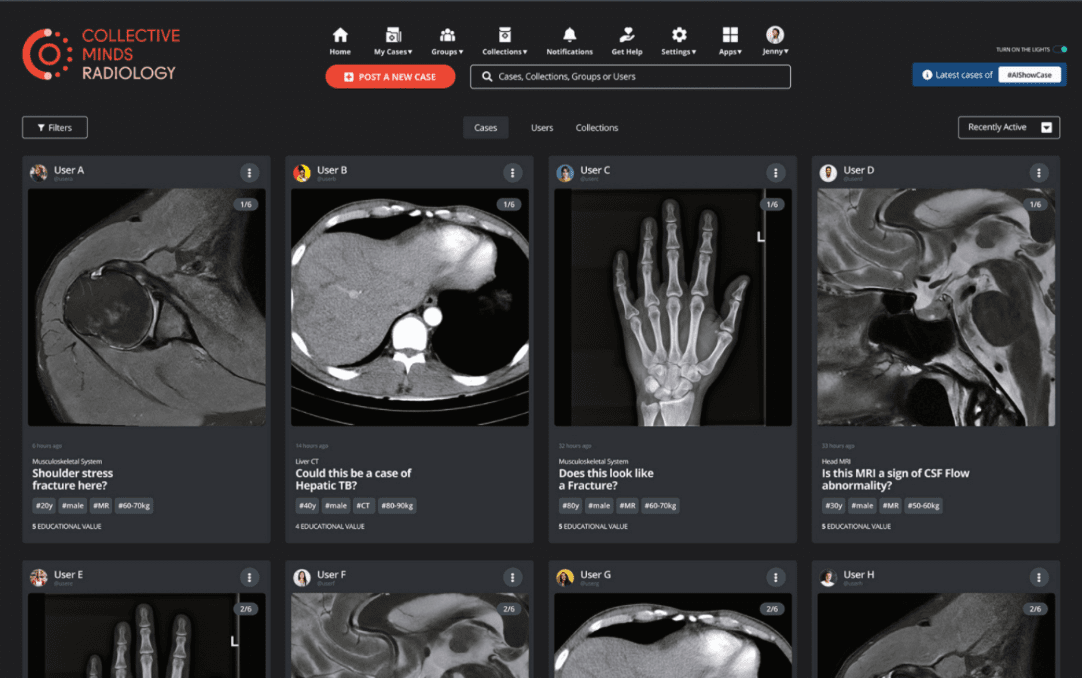
Collective Minds (collectiveminds.health) is different from the other options in this list. It is a collaborative platform built around imaging specialists sharing cases for discussion, second opinions and teaching. It is free to use, provides generous storage and includes a clinical-grade cloud DICOM viewer with MPR, MIP, 3D, PET-CT fusion and cine, plus automatic pseudonymisation for safe case sharing.
Free DICOM viewer apps for Android
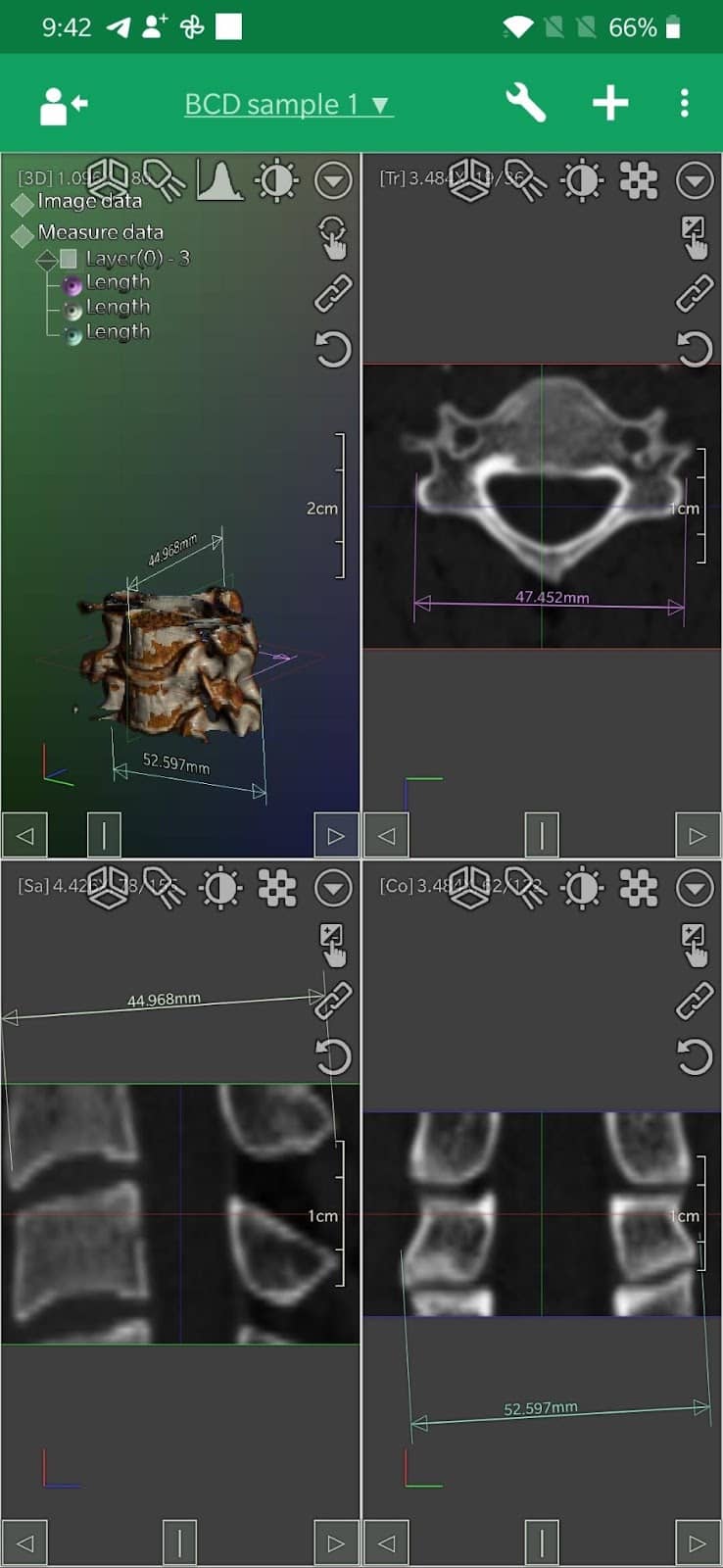
DroidRender: A great app with a friendly interface and support for the standard tools including multiple layouts and MPR. It is one of the few Android apps that also offers 3D volume rendering.
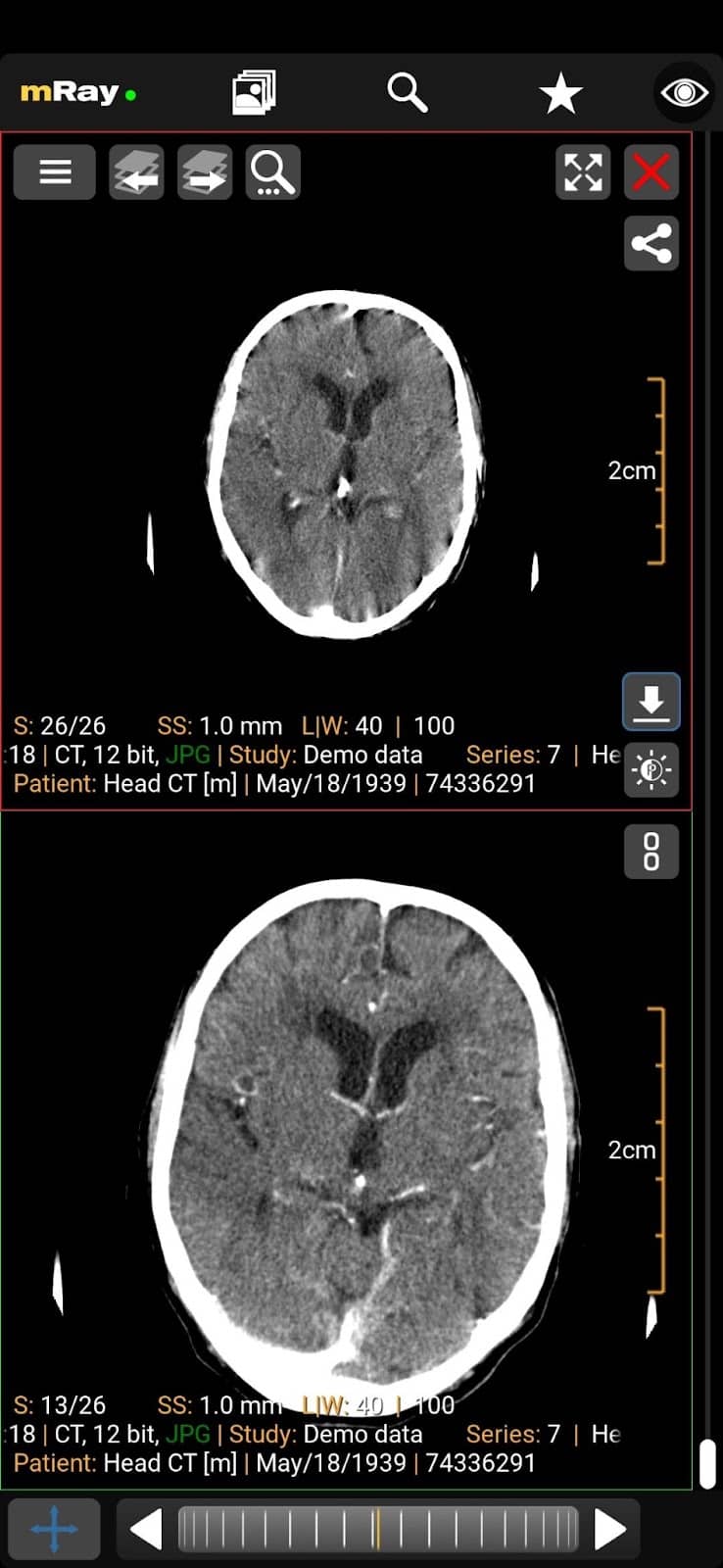
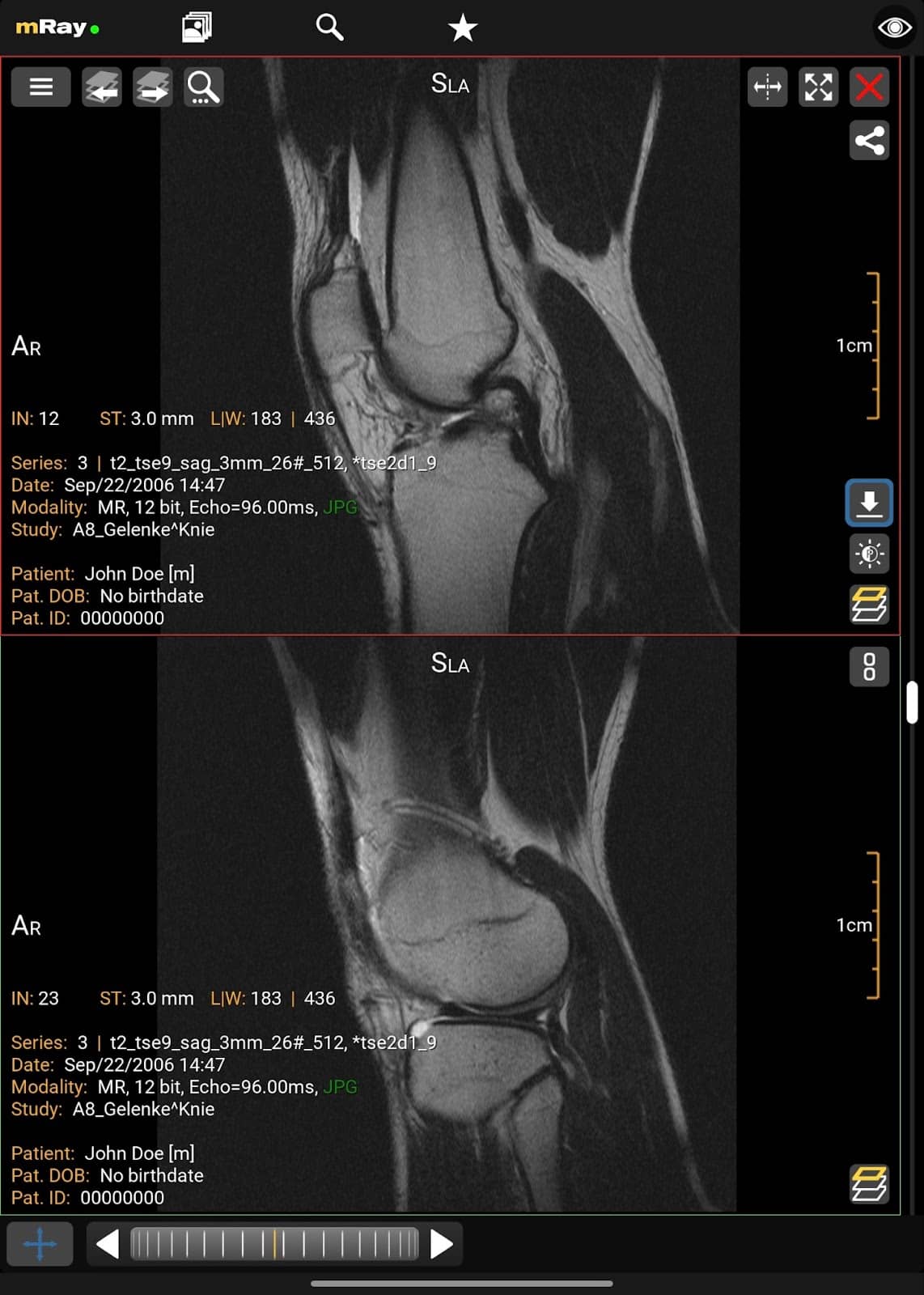
mRay: Also available on macOS and iOS, mRay covers the standard features plus MPR, multiple layout options and cloud backup of your cases.
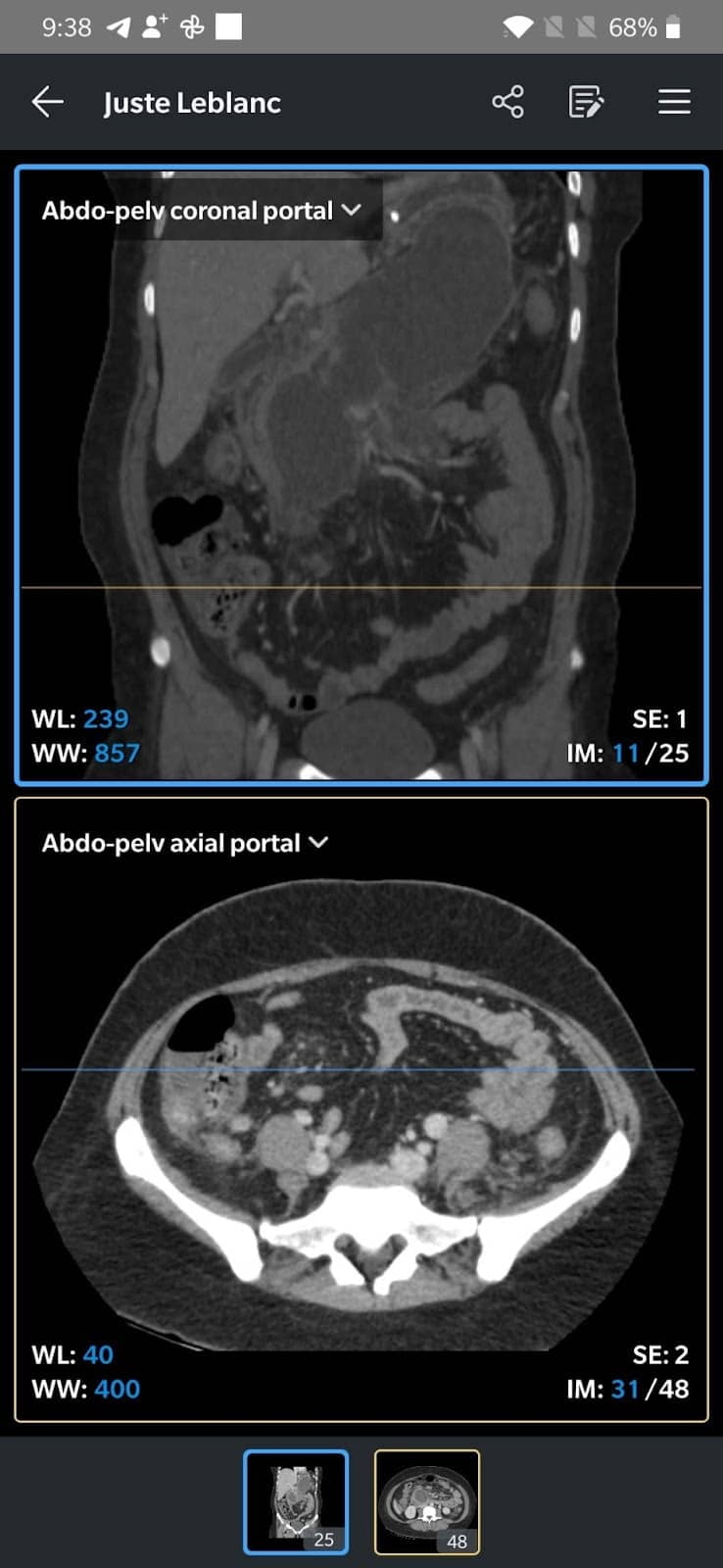
IDV (IMAIOS DICOM Viewer): From the makers of e-Anatomy, IDV supports the standard tools including MPR and is very easy to use. Exporting or sharing cases as video or DICOM is streamlined, and it is also available as a web viewer.
Free DICOM viewer apps for iPhone and iPad
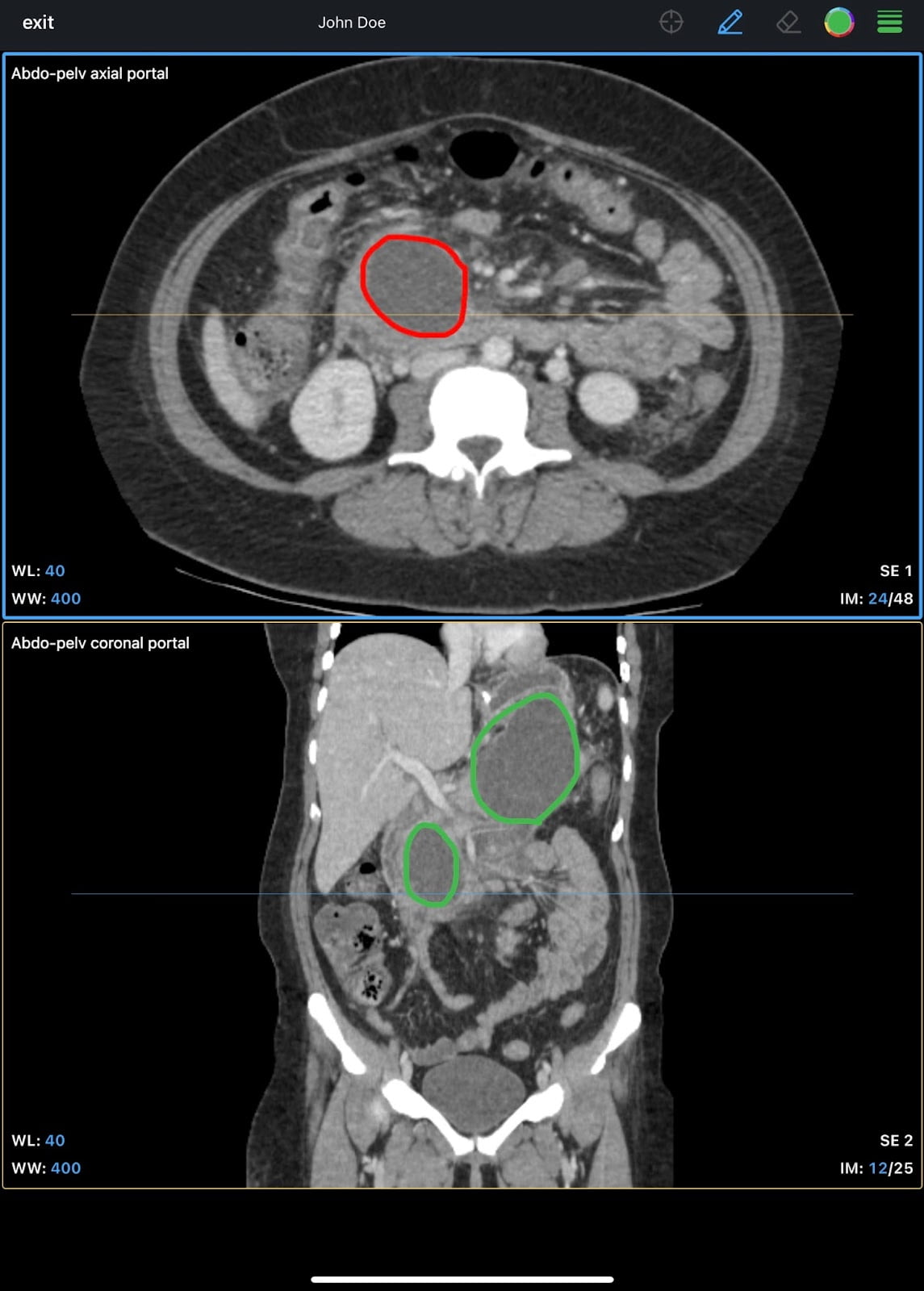
IDV: The IMAIOS DICOM Viewer is an excellent, easy-to-use iOS app with support for the standard tools including MPR and multiple layouts, plus on-device annotation on iPad and streamlined export as video or DICOM.
mRay: Also on macOS and Android, with the standard features plus MPR, multiple layouts and cloud backup of your cases.
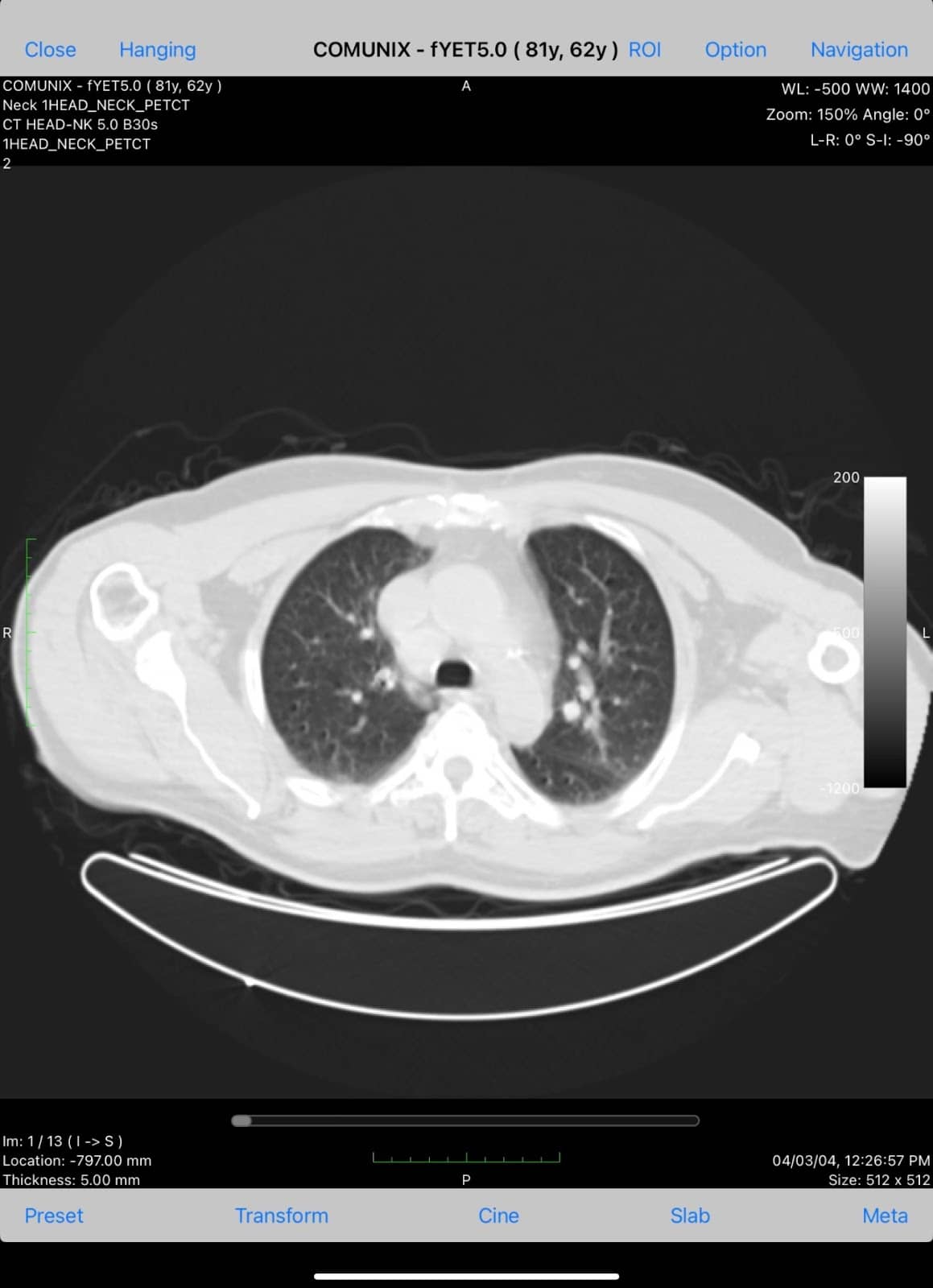
Medfilm: A more basic app without multiple layouts, MPR or 3D VR, but with useful annotation options including arrows, curves, polygons and text.
Paid DICOM viewer apps for iPhone and iPad
Horos, the most popular free option on Mac, is a paid app on iOS. Along with OsiriX HD, these are the best iOS options, supporting all the standard tools plus robust advanced features and streamlined export and sharing.
Choosing the right DICOM viewer
When selecting a DICOM viewer, match it to your platform, budget and use case:
- For personal use or small practices, free options like Weasis (any OS) or Horos (Mac) usually suffice.
- For fast Windows reporting with advanced tools, RadiAnt is hard to beat; on the Mac, OsiriX MD is the FDA/CE-cleared option for primary clinical use.
- For research, segmentation and 3D printing, 3D Slicer offers the most powerful free toolkit.
- Web-based viewers (OHIF, PostDICOM, Pacsbin, Collective Minds) are ideal when you need access from multiple devices or want to share cases.
- Mobile apps (IDV, mRay) are perfect for on-the-go access, though they are best treated as review rather than primary diagnostic tools.
- For any primary clinical reporting, confirm the viewer is FDA-cleared or CE-marked for diagnostic use in your region.
Frequently Asked Questions
Official sources and downloads
- Weasis – weasis.org
- MicroDICOM – microdicom.com
- RadiAnt DICOM Viewer – radiantviewer.com
- Horos Project – horosproject.org
- OsiriX – osirix-viewer.com
- 3D Slicer – slicer.org
- OHIF Viewer – ohif.org
- PostDICOM – postdicom.com
- Collective Minds – collectiveminds.health
- IMAIOS DICOM Viewer (IDV) – imaios.com
This article is co-written by TeamGyan member, Dr. Devpriyo Pal.

Improve Content And Help Your Colleagues!
Found an error in the post? Please let us know using our contact page and we will update it with due credits!
If you wish to contribute radiological images for this case (or any other article on the website), you can submit them here and you will be duly credited: Submit radiology case
very informative
Thanks.
Lần đầu tiên đọc bài viết của giáo sư nói về các phần mềm xem ảnh DICOM, tôi thấy bài viết rất hay. Xin cảm ơn giáo sư đã cho chúng tôi sự hiểu biết về các phần mềm xem ảnh Dicom, nhất là đối với các bác sỹ công tác tại tuyến xã miền núi xa xôi, ít có điều kiện được tiếp xúc với các phần mềm, máy móc chẩn đoán hình ảnh, các ca bệnh và các chuyên gia y tế. Xin cảm ơn giáo sư!