


Going hands-free with your PowerScribe Nuance dictation microphone is one of the most useful workflow improvements you can make. A gooseneck desk clamp holds your existing PowerMic in place near your face, keeps your hands free for PACS and keyboard work, and requires zero new microphone setup: no IT ticket, no voice profile retraining. You are just repositioning the mic that was already sitting on your desk. Here is how my setup looks:
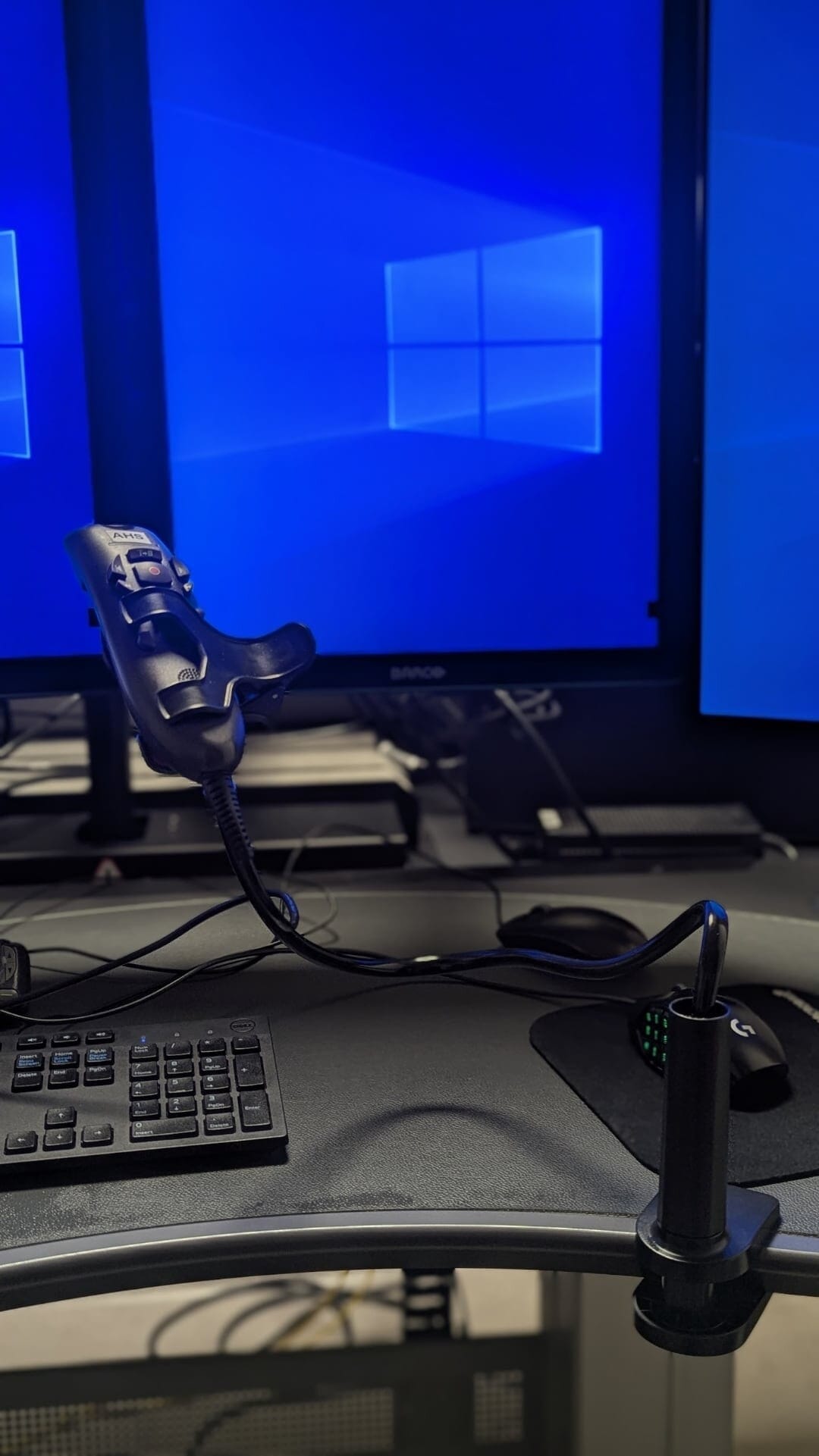
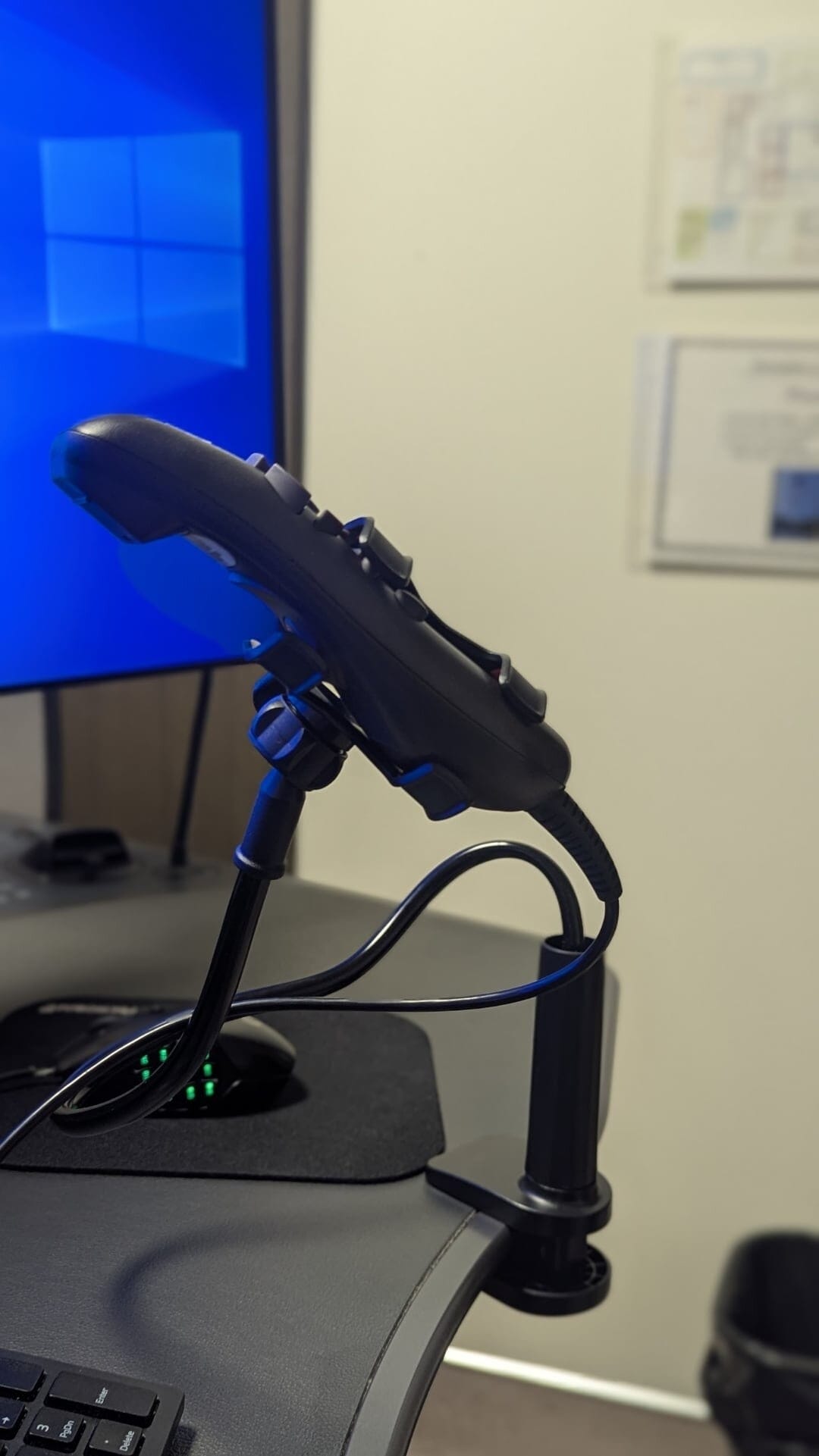
There are tons of similar options for these gooseneck stands on Amazon or your local dollar store. I have shared one example below:
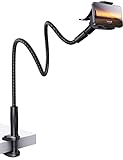
- 【Nylon Braided 38" Long Reach Gooseneck】Overall 38inch Longer (arm is 35inch), Braided Wrapped Flexible arm, 360 Adjustable & Rotatable ball joint phone clamp design and a reinforced base gives it a better texture, stability and flexibility. A perfect flexible phone stand that can free your hands to watch movies, make Facetime calls or recording videos, etc.
- 【Longer Arm, Sturdy Yet Flexible】Using 38inches (97cm) flex Nylon Braided laying down phone holder arm and high-quality aluminum alloy solid core. This overhead phone mount stand has a more reachable range and sturdy enough to hold your phone firmly, yet flexible to shaped to accommodate your view. No bow your head. No more neck pain.
- 【Wide Compatibility】This Gooseneck iphone holder suits for 4-7'' devices, almost all smartphones, for iPhone 18 Pro, iPhone 18 Pro Max, iPhone 17, iPhone 17 Pro, iPhone 17 Pro Max, iPhone Air, iPhone iPhone 16, iPhone 16 Plus, iPhone 16 Pro, iPhone 16 Pro Max, 15, 14, 13, 12, Pro, Pro Max, Plus, Mini, 11 Pro, 11, 11 Pro Max, SE 2020, XS, XS Max, XR, X, 8 7 6 Plus, Switch, Galaxy S22 S21 Ultra, S20, S10, S9, S9 Plus, A71, A51, A11, Edge, Note 20 ultra Google Pixel, etc.
- 【Multiple Mounting Options】Featuring a screw-on clamp base varying from 0 to 3.15 inches (8cm), the bendy cell phone clip holder can be securely mounted on the edge of the bed frame, bedside, headboard, nightstand, desk, end table, chair and kitchen counter, etc.
- 【360° Rotating Phone Clamp】Thanks to the user-friendly design of the 360-degree ball swivel joint between the arm and phone clamp, you can make some small angle adjustments easily without having to bend the entire snake neck every time to get the same purpose.
- 【Tips for Better Stability & Longer Lifespan】For the best experience, shape the gooseneck arm into an "S" or "Z" curve to create multiple support points. When adjusting the angle, hold the base with one hand and gently bend the arm with the other to protect the internal structure. Designed mainly for hands-free recording, video watching, streaming, and calls.
Why Bother?
Using a fixed mount for the microphone frees one hand, allowing the radiologist to perform essential tasks like navigating images, adjusting window levels, or manipulating 3D reconstructions without interruption. This ergonomic improvement reduces physical strain and supports a smoother workflow. Additionally, by keeping the microphone consistently positioned, the software receives a stable audio signal, leading to improved speech recognition accuracy and fewer transcription errors.
If you are dictating alone in a room, the simplest approach is to use PowerScribe’s toggle dictation mode: turn the mic on once and leave it running, so you never need to press a button mid-report. If you do need to switch dictation on and off, for example in a shared space or when you step away, check the options in the section below.
What to Look For
There are dozens of these on Amazon and the listings change frequently. Most will technically work. The useful ones share a couple of traits:
- Arm length matters. A short gooseneck (roughly 12–14″) needs to sit between your hands on the desk, which gets in the way. A longer arm (18″ or more) can be clamped off to the side and positioned over the keyboard, leaving your workspace unobstructed.
- The top clip grip. Nearly all of these are marketed as phone holders, but the spring-loaded top grip holds a PowerMic without any modification.
Quick Tip: Check the Clamp Mechanism
Many gooseneck desk clamps use a teeth-style or ratchet-style clamp base: the grip locks in by engaging a series of plastic or rubber notches. These work fine on thin surfaces like a laptop table or lightweight consumer desk, but they typically max out around 1.5″ of thickness. Hospital reading room workstations and imaging center desks are often considerably thicker, and a teeth-style clamp simply will not fit.
Get one with an adjustable screw clamp. These use a threaded rod to tighten against the desk, so they accommodate virtually any thickness, from a glass tabletop to a solid 3″ hospital workstation, without modification or extra parts. It takes a few extra seconds to attach compared to a ratchet clamp, but it is the only mechanism that works reliably across shared workstations you do not control.
Setup
- Clamp the base to the desk edge or any stable surface.
- Bend the gooseneck so the mic ends up roughly 8–12 inches from your mouth at a slight downward angle: close to how you would hold it naturally.
- Recalibrate audio levels in PowerScribe if the mic position has changed significantly: Speech > Audio Setup.
Controlling Dictation Without Holding the PowerMic
Once the mic is mounted, you still need a way to toggle dictation, advance fields, and navigate the report without the PowerMic in your hand. Options, roughly in order of least to most effort:
- Keyboard shortcuts. F4 toggles dictation, Tab goes to the next field, Shift+Tab goes back. These only work when PowerScribe is the active window, which is a real limitation.
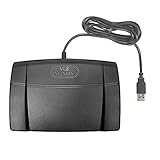
- Foot pedal. The Infinity IN-USB-2 is plug-and-play with PowerScribe, replicates the PowerMic controls exactly, and requires no software configuration.
- ShuttlePRO v2. A programmable multimedia controller with a jog wheel and 15 buttons. You can map dictation start/stop, field navigation, and macro commands directly to the buttons, making it a powerful hands-free control surface for radiologists who want more than a basic foot pedal. Works with PowerScribe via button mapping software included in the box.

- AutoHotkey. The best long-term solution. You can replicate full PowerMic functionality from any button on any device, with PowerScribe activation built in so you never have to click back to the window first.
Alternatives to a Desk Clamp
A mini tabletop tripod is even more portable and requires no clamping, but it takes up more desk space, keeps the mic further from your face, and is less stable on cluttered workstations. A boom mic arm is an alternative for a home workstation but probably an overkill.


For a permanent home setup, a dedicated USB microphone mounted to a monitor arm is a significant upgrade, but at that point you are doing voice profile training on a new microphone and accepting that it will not work at the hospital. For a shared or multi-site workstation, the gooseneck clamp wins on simplicity every time.

Improve Content And Help Your Colleagues!
Found an error in the post? Please let us know using our contact page and we will update it with due credits!
If you wish to contribute radiological images for this case (or any other article on the website), you can submit them here and you will be duly credited: Submit radiology case