


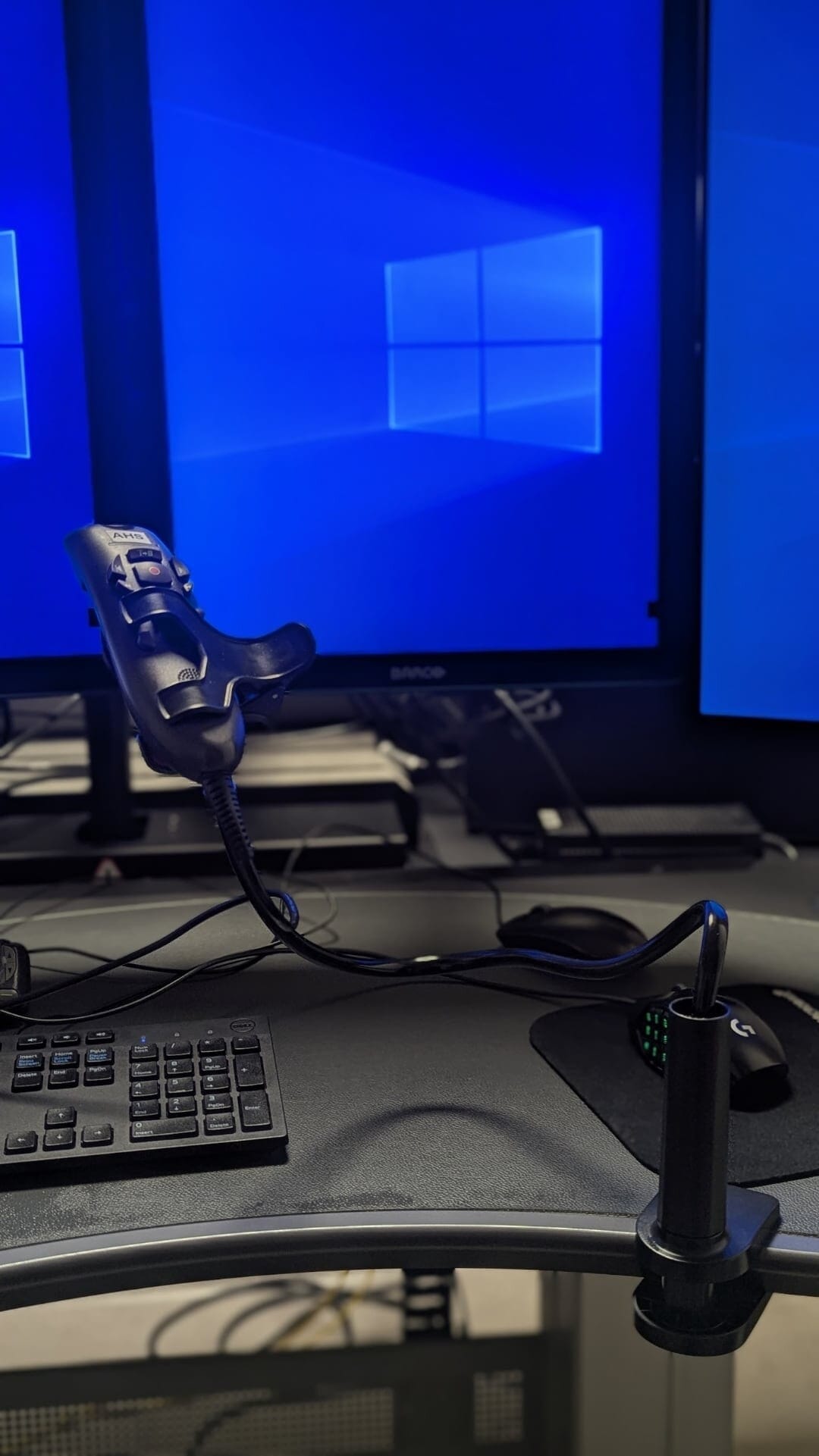
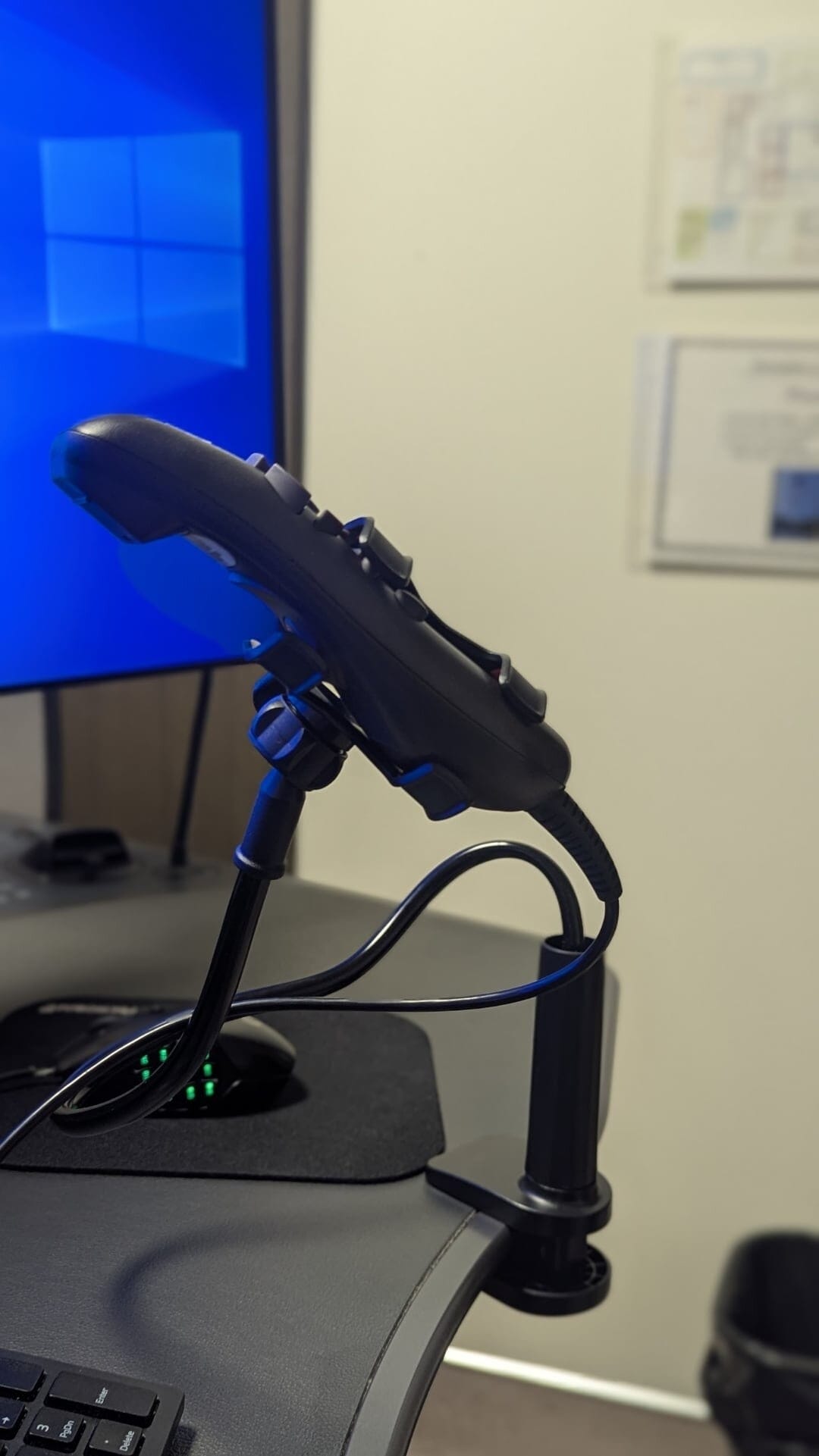
Going hands-free with your PowerScribe Nuance dictation microphone is one of the most useful workflow improvements you can make. A gooseneck desk clamp holds your existing PowerMic in place near your face, keeps your hands free for PACS and keyboard work, and requires zero new microphone setup — no IT ticket, no voice profile retraining. You are just repositioning the mic that was already sitting on your desk.
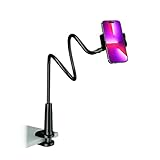
- ★Universal Lazy Bracket - This phone holder fits for most brands smartphone in the market including iPhone, Samsung Galaxy, Sony, Motorola, Nokia, Huawei, HTC, LG, etc. 【✅The gooseneck phone holder is only good for watching or reading,TAPPING YOUR DEVICE WILL INEVITABLY CAUSE SOME BOUNCE AND WOBBLE — A RESULT OF ITS STRUCTURAL DESIGN.】
- ★360o Adjustable - Phone holder with the maximum height of 30 inches, you can adjust the height and angle to get the best position by bending and rotating the holder. Just choose a perfect angle for you.
- ★Easy to Install - The phone holder for bed has a strong clamp to hold your Phone securely. It's easy to attach on furniture such as table and bookshelf.
- ★Multiple Usage - Phone holder for desk is perfect for using mobile phone to watch movies & enjoy music in the bedroom, bathroom, kitchen, gym and office, free your hands.
- ★Use your both hands to bend it cause it is designed stronger.
- ★QUICK RESPONSE - If you have any questions about our phone holder, please don't hesitate to reach out to us via amazon message. We will be more than happy to anwer your queries within 24 hours.
Why Bother?
The efficiency of speech recognition software like PowerScribe is heavily influenced by the physical placement of the microphone. Achieving high levels of accuracy requires a stable environment where the distance between the speaker and the device remains constant. When using a handheld dictaphone, the natural movements of the hand and body cause the microphone to drift away from or toward the mouth. This variability introduces acoustic inconsistencies that force the software to work harder to interpret speech, often leading to transcription errors and the need for frequent manual corrections. Implementing a fixed mount solves this issue by ensuring the microphone stays in the optimal position throughout every reporting session. By maintaining a steady distance and angle, you provide the software with a predictable audio signal, which significantly improves word recognition and reduces the time spent editing reports.
The benefits of a hands free setup extend beyond technical precision to the overall workflow of a radiologist. In a demanding clinical environment, every second and every physical motion matters. Holding a microphone for several hours a day is an unnecessary physical burden that ties up one hand. By transitioning to a fixed mount, you free that hand to perform critical diagnostic tasks, such as navigating through large image stacks, adjusting window levels, or manipulating three dimensional reconstructions. This ergonomic shift not only reduces physical fatigue but also allows for a more fluid and focused diagnostic process, ultimately enhancing productivity and clinical throughput.
If you are dictating alone in a room, the simplest approach is to use PowerScribe’s toggle dictation mode — turn the mic on once and leave it running, so you never need to press a button mid-report. If you do need to switch dictation on and off, for example in a shared space or when you step away, check the options in the section below.
What to Look For
There are dozens of these on Amazon and the listings change frequently. Most will technically work. The useful ones share a couple of traits:
- Arm length matters. A short gooseneck (roughly 12–14″) needs to sit between your hands on the desk, which gets in the way. A longer arm (18″ or more) can be clamped off to the side and positioned over the keyboard, leaving your workspace unobstructed.
- The top clip grip. Nearly all of these are marketed as phone holders, but the spring-loaded top grip holds a PowerMic without any modification.
The One Thing Most Listings Don’t Tell You: Clamp Mechanism
This is where most buyers run into problems.
Many gooseneck desk clamps use a teeth-style or ratchet-style clamp base — the grip locks in by engaging a series of plastic or rubber notches. These work fine on thin surfaces like a laptop table or lightweight consumer desk, but they typically max out around 1.5″ of thickness. Hospital reading room workstations and imaging center desks are often considerably thicker, and a teeth-style clamp simply will not fit.
Get one with an adjustable screw clamp. These use a threaded rod to tighten against the desk, so they accommodate virtually any thickness — from a glass tabletop to a solid 3″ hospital workstation — without modification or extra parts. It takes a few extra seconds to attach compared to a ratchet clamp, but it is the only mechanism that works reliably across shared workstations you do not control.
Setup
- Clamp the base to the desk edge or any stable surface.
- Bend the gooseneck so the mic ends up roughly 8–12 inches from your mouth at a slight downward angle — close to how you would hold it naturally.
- Recalibrate audio levels in PowerScribe if the mic position has changed significantly: Speech > Audio Setup.
Controlling Dictation Without Holding the PowerMic
Once the mic is mounted, you still need a way to toggle dictation, advance fields, and navigate the report without the PowerMic in your hand. Options, roughly in order of least to most effort:
- Keyboard shortcuts. F4 toggles dictation, Tab goes to the next field, Shift+Tab goes back. These only work when PowerScribe is the active window, which is a real limitation.
- Foot pedal. The Infinity IN-USB-2 is plug-and-play with PowerScribe, replicates the PowerMic controls exactly, and requires no software configuration.
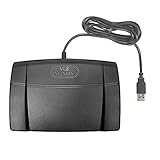
- Infinity 3 Function USB Foot Pedal/Switch
- Sturdy and durable design and ultra-heavy-duty micro switches to ensure countless hours of trouble free performance.
- The ergonomic design includes a wide, central, sloping Play pedal and the large size enables you to easily move your foot from the Play to Fast Forward or Rewind keys.
- ShuttlePRO v2. A programmable multimedia controller with a jog wheel and 15 buttons. You can map dictation start/stop, field navigation, and macro commands directly to the buttons, making it a powerful hands-free control surface for radiologists who want more than a basic foot pedal. Works with PowerScribe via button mapping software included in the box.

- ✅ PRECISION CONTROL: Edit with confidence using the spring-loaded jog wheel and shuttle dial. Perfect for frame-by-frame video scrubbing and smooth timeline navigation in tools like Premiere Pro, Final Cut, DaVinci Resolve & more.
- ✅ 15 PROGRAMMABLE SHORTCUT BUTTONS: Speed up your workflow by assigning shortcuts and macros to 15 tactile buttons. Cut clips, switch tools, or trigger effects instantly, ideal for video, audio & photo editors who value efficiency.
- ✅ SMART APP DETECTION: ShuttlePRO v2 auto-detects your active software and switches to the right profile. No need to manually toggle settings, perfect for multitasking across creative programs.
- ✅ COMPACT DESIGN FOR EFFORTLESS USE: Fits comfortably in one hand with a minimal desk footprint. Designed to fit any workspace, allowing your fingers little to no movement to reach all buttons & the jog wheel, keeping your workflow smooth and efficient.
- ✅ ERGONOMIC & USER-FRIENDLY DESIGN: Compact, comfortable & suitable for both left and right handed users, ensuring long editing sessions remain efficient and fatigue-free.
- AutoHotkey. The best long-term solution. You can replicate full PowerMic functionality from any button on any device, with PowerScribe activation built in so you never have to click back to the window first.
Alternatives to a Desk Clamp
A mini tabletop tripod is even more portable and requires no clamping, but it takes up more desk space, keeps the mic further from your face, and is less stable on cluttered workstations.

- 🎤 Superior Size Compatibility 1.7inch Diameter: Our desktop microphone stand is designed to accommodate larger-sized microphones, providing a secure and stable grip for a wide range of professional-grade mics.
- 🖐️ Hassle-Free Adjustability: Easily adjust the height and angle of your microphone to achieve the perfect recording position. Effortlessly find your ideal setup for optimal sound quality and comfort.
- 🌟 Sleek and Modern Design: Enhance your recording setup with an elegant and sleek microphone stand that adds a touch of professionalism to your workspace.
- ⚙️ Easy Assembly: Our user-friendly design allows for quick and hassle-free setup, so you can focus on your creative endeavors without any delays.
- 🎛️ Versatile Applications: Whether you're a podcaster, musician, voice-over artist, or gamer, this microphone stand is the perfect companion for all your recording needs.
- 🏢 Space-Saving Solution: The compact footprint of our desktop stand maximizes your workspace while keeping your microphone easily accessible and ready for action.
- 🎧 Anti-Vibration Padding: Equipped with premium foam padding, this stand minimizes vibrations and prevents unwanted noise interference for pristine audio quality.
For a permanent home setup, a dedicated USB microphone mounted to a monitor arm is a significant upgrade — but at that point you are doing voice profile training on a new microphone and accepting that it will not work at the hospital. For a shared or multi-site workstation, the gooseneck clamp wins on simplicity every time.

Improve Content And Help Your Colleagues!
Found an error in the post? Please let us know using our contact page and we will update it with due credits!
If you wish to contribute radiological images for this case (or any other article on the website), you can submit them here and you will be duly credited: Submit radiology case